Feel how your time flows.

Every task lives
somewhere in time.

As deadlines near, tasks grow warm and begin to pulse. Senru brings every task onto one flowing timeline you can feel.

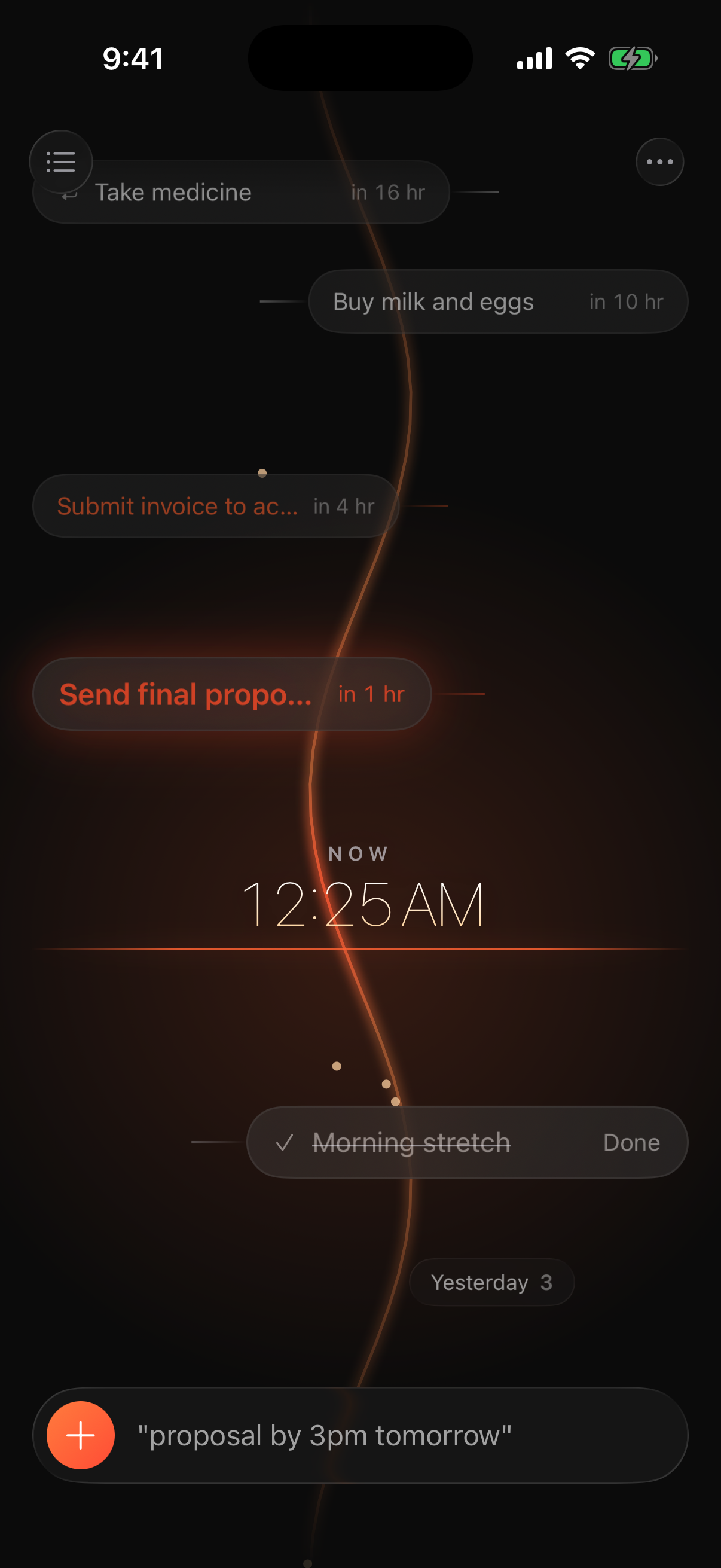
Senru’s timeline. Tasks colored by the heat of their deadlines flow down the river toward NOW.

A single canvas

Not a list to clear.
A time to feel.

Every task sits on one timeline flowing from future to now to past. See its distance in time at a glance.


Deadline at a glance

As the deadline nears,
the task grows warm.

Color shows only the heat of a deadline. Tasks shift from amber to red as time runs out; only the urgent ones pulse.

Send the final proposal review2h left
Submit the invoice to finance4h left
1:1 with my manager2d left

Natural language input

One line, and it lands.

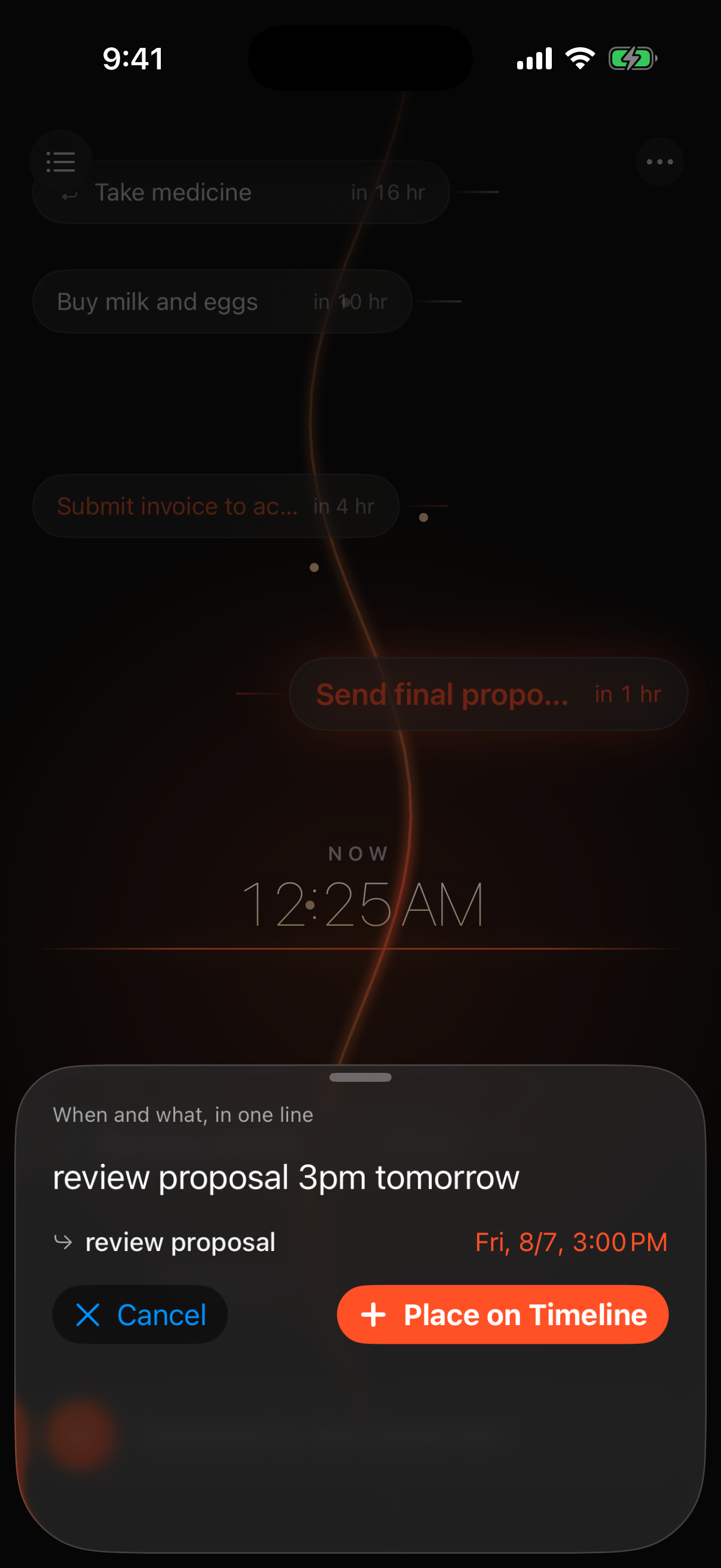
Type “proposal by 3pm tomorrow.” Senru parses it on-device, lets you preview it, then places the task on the timeline.

On-device parsing
Dates, times, and repeats are parsed without a server.
Long-press, then drag
Drag a task to its new deadline.
The capture sheet parsing a deadline from a typed phrase.

Distance in time

Distant days cluster,
then bloom into focus.

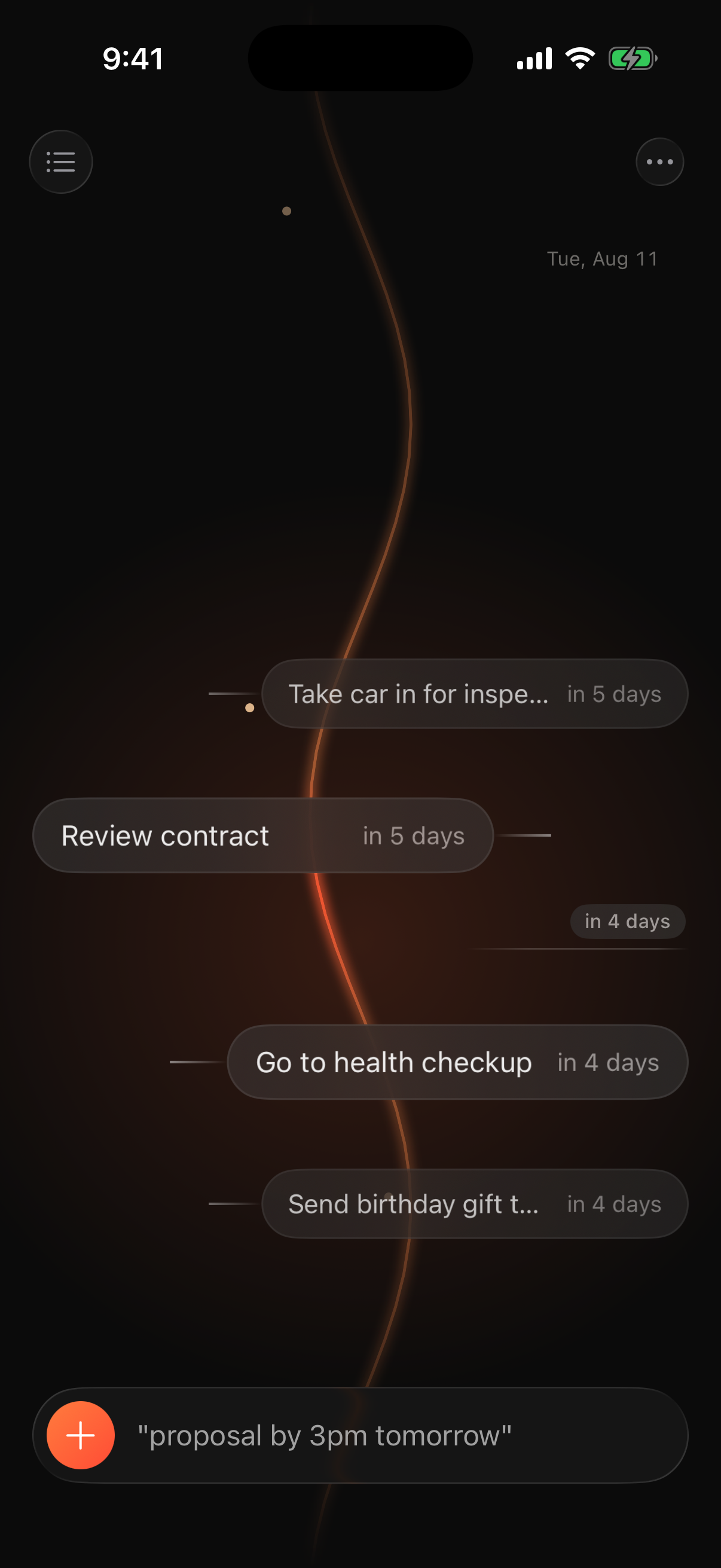
Distant tasks gather into bundles, then unfold as you scroll them into focus. Calendar markers show where you are.

Scroll time into focus
Nearby tasks unfold in place.
“Someday” — no deadline
Pull a date from the mist when you’re ready.
The timeline scrolled four days ahead, with nearby tasks expanded in the focus lens and calendar markers visible.

Universal search

Find everything,
in one search.

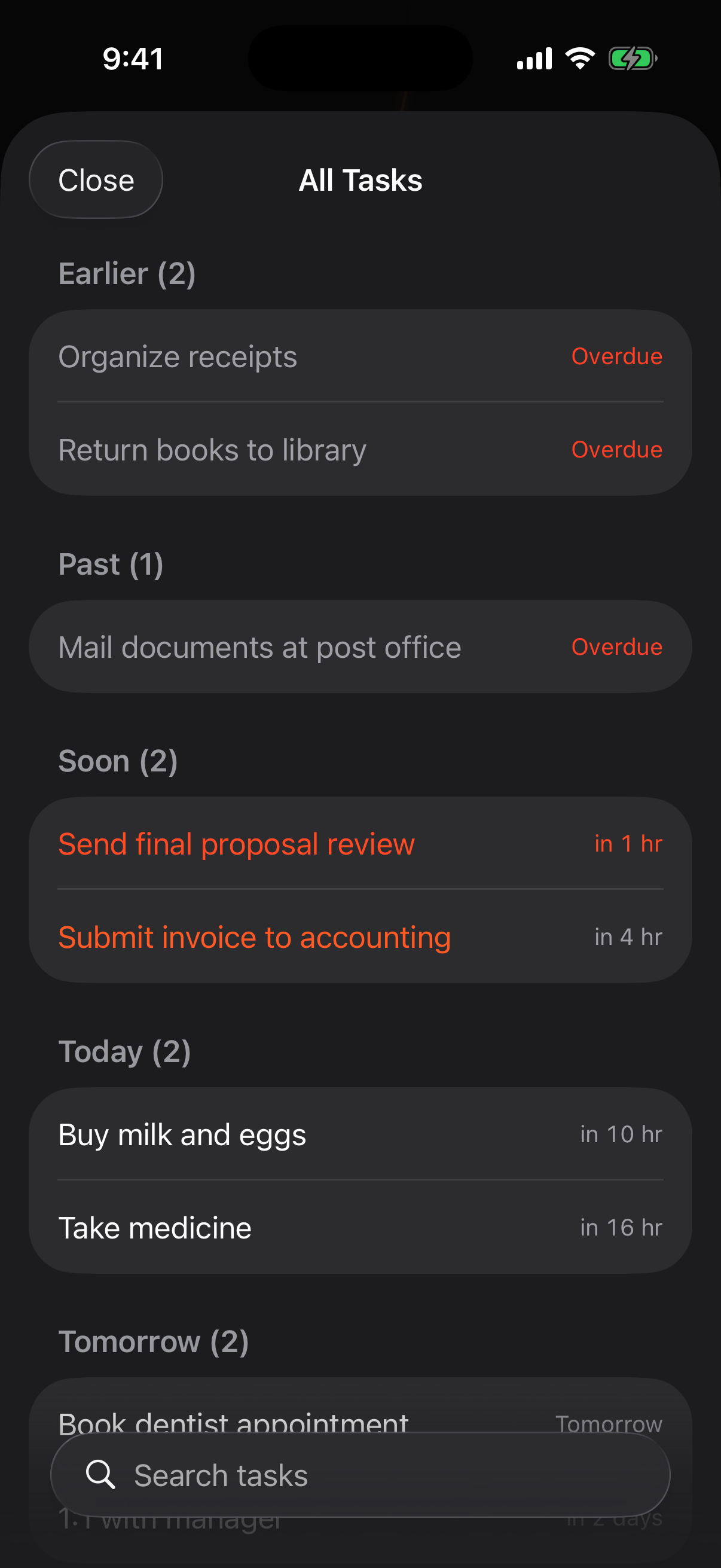
Search your timeline, completed tasks, and trash at once. Complete, reschedule, or restore results on the spot.

Timeline / Done / Trash, together
Results are grouped by status and ready to act on.
Universal search listing tasks from the timeline, completed, and trash.

Deadline-based notifications

Ambient, not interruptive.

Notifications grow with the heat of a deadline. Senru stays quiet until it truly matters.

STAGE 01

Silence

Far out, Senru says nothing.

STAGE 02

Live Activity

Close deadlines count down on the Lock Screen and Dynamic Island.

STAGE 03

A heads-up

Only when it’s urgent: an alert and a gentle nudge.

STAGE 04

Overdue

One quiet note, with no repeated nagging.


In the details

The more you touch it,
the better it feels.

Tactile details for key moments, plus ways to feel time without opening the app.

The feel of done

A warm haptic and tone mark completion as the task sinks into the past.

Repeating tasks

From daily to every N days. Complete one to advance to the next.

Manual alarms

Add a reminder at any time, separate from the deadline.

Widgets, Lock Screen, StandBy

See the nearest task’s heat and time left without opening the app.

Siri & Shortcuts

Add a task with one phrase from Siri or Spotlight.

CloudKit sync

Sync devices with iCloud. * Sign-in required.

iPhone & iPad

The canvas adapts to the window, so the river reads the same on a phone as it does on a full-screen iPad. On iPad, a hardware keyboard drives capture, the list, settings, and jumping back to now.


Aesthetic

Neutral throughout —
only heat has color.

Deep ink and paper-like neutrals let the heat of a deadline stand out.

The timeline in dark theme.
DARK — Deep ink
The timeline in light theme.
LIGHT — Paper neutral

Every task lives somewhere in time.
Past. Present. Future.

Senru

iPhone & iPad / iOS & iPadOS 18+ · Feel how your time flows.